
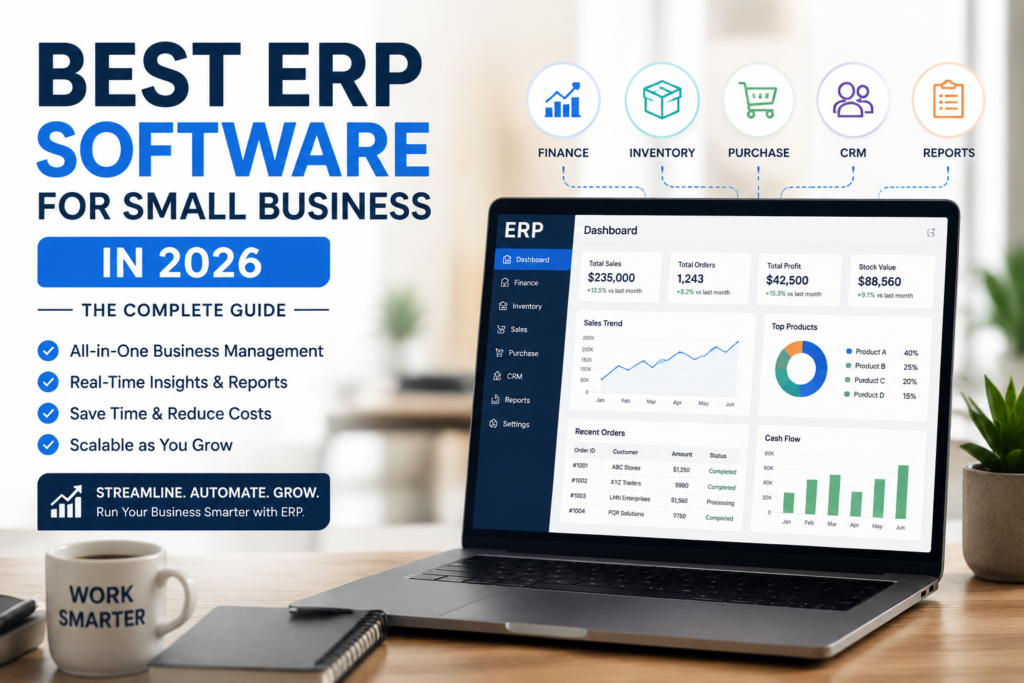
If spreadsheets are eating your afternoons and your accounting software cannot keep up with your inventory or your sales team, you are not alone. Thousands of small business owners hit this same wall every year, usually right around the point when manual data entry starts causing real mistakes. Finding the best ERP software for small business does not have to mean enterprise-level costs or a six-month implementation project. In this guide, you will learn what small business ERP software actually does, how to pick the right one for your budget and team size, and which systems are genuinely worth considering in 2026. We will also cover the questions most guides skip, like why ERP projects fail and how to tell real AI features from marketing buzzwords.
Table of Contents
ToggleWhat Is ERP Software?
Enterprise Resource Planning (ERP) is a type of business management software that connects your core operations, accounting, inventory, sales, purchasing, and often HR, into a single system instead of scattered spreadsheets or disconnected apps. Instead of updating a sales order in one tool, then manually entering it into your accounting software, then checking stock levels in a separate inventory sheet, an ERP system keeps everything in sync automatically.
For small businesses, this usually means:
- One shared database instead of five different tools that do not talk to each other
- Real-time visibility into cash flow, stock, and orders
- Fewer manual entry errors
- Reports you can actually trust because the numbers come from one source
Accounting and ERP software often get confused, and that mix-up costs businesses time and money. Accounting software like QuickBooks or Xero handles your books: invoices, expenses, and financial statements. ERP software does that too, but it also manages inventory, purchasing, production, and customer data in the same system. If your business only needs bookkeeping, accounting software is enough. If you are juggling inventory, multiple locations, or production schedules on top of your books, that is usually the signal you have outgrown accounting software alone.
Signs Your Small Business Actually Needs ERP
Not every small business needs ERP right away, and jumping in too early can waste money on features you will not use for years. Here are the clearest signs it is time to look:
- You are duplicating data entry. The same order gets typed into your accounting tool, your inventory sheet, and maybe a CRM.
- Month-end closing takes days, not hours, because someone has to reconcile numbers across multiple systems.
- Inventory counts are frequently wrong, leading to stockouts or overordering.
- You cannot get a real-time answer to “how much cash do we actually have right now” without pulling reports from three places.
- You are scaling past 10 to 15 employees or adding a second location, and QuickBooks plus Excel workarounds are starting to break down.
If two or more of these sound familiar, it is worth evaluating small business ERP software seriously rather than patching your current setup with another add-on tool.
How to Choose the Best ERP Software for Small Business
Picking an ERP system is less about finding the “best” one overall and more about finding the best fit for your industry, budget, and team size. Here is what actually matters during evaluation:
Total cost, not just the sticker price. Ask for the full breakdown: monthly cost per user, implementation fees, data migration costs, and training. Many vendors quote a low per-user price but bury implementation costs in a sales call.
Implementation timeline. A true small business ERP should be live in weeks, not months. If a vendor cannot give you a realistic go-live date for a company your size, treat that as a warning sign.
Core features you will actually use. Financial management, inventory tracking, and basic reporting are non-negotiable. Advanced modules like warehouse automation or multi-entity consolidation are only worth paying for if you need them today or within the next year.
Ease of use for non-technical staff. If your team needs a dedicated IT person just to run daily operations, the system is probably too complex for your current stage.
Scalability. Ask vendors for examples of customers who grew from your size to two or three times larger on the same platform. Their answer tells you whether the system will hold up as you grow, or whether you will be migrating again in three years.
Support quality and response time. Small businesses cannot afford to wait days for a support ticket when a critical process breaks.
Best ERP Software for Small Business: Comparison Table
| ERP Software | Best For | Deployment | Starting Price (per user/month) | Implementation Time |
|---|---|---|---|---|
| NetSuite ERP | Growing businesses needing an all-in-one platform | Cloud | Around $125 | Several weeks to a few months |
| Cetec ERP | Small manufacturers on a tight budget | Cloud, on-premise | Around $40-50 | Weeks |
| Odoo | Businesses wanting modular, customizable software | Cloud, self-hosted | Free self-hosted tier, paid apps from $20 per app | Weeks to months, depending on modules |
| Microsoft Dynamics 365 Business Central | Teams already using Microsoft 365 | Cloud, on-premise | Around $175 | Weeks |
| SAP Business One | Small to midsize businesses needing deep financial tools | Cloud, on-premise | Custom quote | Weeks to months |
| Fishbowl Advanced | Businesses that live and die by inventory accuracy | Cloud, on-premise | Around $329 | Weeks |
| JobBOSS² | Small job shops and custom manufacturers | Cloud, on-premise | Around $200 | Weeks |
| Sage Intacct | Finance-first small businesses | Cloud | Custom quote, roughly $15,000-$30,000 implementation | Weeks to months |
Pricing changes often, so it is worth checking each vendor’s latest pricing page directly before making a shortlist, since promotional rates and per-module costs shift throughout the year.
Top ERP Software for Small Business: Detailed Overview
NetSuite ERP
NetSuite is one of the most widely used ERP systems for growing small businesses, largely because it combines accounting, CRM, and inventory in one cloud platform. It scales well, which means you are less likely to outgrow it and need a painful migration later. The tradeoff is cost: it is priced closer to the higher end of the small business range, so it fits best once you have moved past the very early stages.
Cetec ERP
Cetec is built for small manufacturers who need real production and quality management features without enterprise pricing. At roughly $40 to $50 per user monthly with no forced module bundling, it is one of the more transparent pricing models in the space. It particularly suits job shops and small-batch manufacturers.
Odoo
Odoo takes a different approach: modular apps you can mix and match, with a free self-hosted version and paid cloud apps starting around $20 each. This makes it a strong option if you want to start small, maybe just accounting and inventory, and add HR or manufacturing modules later without switching platforms entirely.
Microsoft Dynamics 365 Business Central
If your team already lives in Outlook, Excel, and Teams, Business Central’s tight Microsoft integration reduces the learning curve significantly. It handles project costing and planning well, which makes it a solid pick for small manufacturers and service businesses managing multiple projects at once.
SAP Business One
SAP Business One brings enterprise-grade financial tools down to a small business price point, with both cloud and on-premise deployment options. It is a strong choice if financial reporting depth matters more to you than a flashy interface, though the learning curve can be steeper than some competitors.
Fishbowl Advanced ERP
Fishbowl focuses heavily on inventory accuracy and integrates cleanly with QuickBooks, making it a popular pick for small businesses that need serious stock control without a full manufacturing ERP.
JobBOSS²
Designed specifically for small custom manufacturers and job shops, JobBOSS² tracks job-level profitability closely, which matters a lot when every order is different. Mobile apps for shop floor data collection are a genuine time-saver for smaller teams without dedicated IT staff.
Sage Intacct
Sage Intacct leans into financial management above everything else, and its AICPA-preferred status gives it credibility with accountants specifically. It works well as a finance-first solution if inventory and manufacturing are secondary concerns for your business.
Manufacturing ERP: What Small Manufacturers Should Know
Manufacturing ERP software adds a layer most general small business ERP systems do not fully cover: bill of materials (BOM) management, production scheduling, quality control, and shop floor tracking. If you make physical products, even in small batches, this distinction matters. A general small business ERP might handle your accounting and basic inventory fine, but struggle with tracking raw materials through a multi-step production process.
Cetec ERP, JobBOSS², Fishbowl, and DELMIAworks are commonly recommended specifically because they build manufacturing workflows into the core product rather than bolting them on as an afterthought. If manufacturing is central to your business, prioritize vendors who can show you a demo of their production module, not just their accounting screens.
AI in ERP: What It Actually Does (and What Is Just Marketing)
Almost every ERP vendor now advertises “AI-powered” features, but the substance behind that claim varies a lot. Genuinely useful AI features in small business ERP typically include:
- Automated transaction matching and bank reconciliation
- Anomaly detection that flags unusual expenses or duplicate invoices before they become a problem
- Demand forecasting based on historical sales data
- Natural language search across shop floor or financial data, so staff can ask questions instead of building reports manually
Before believing a vendor’s AI pitch, ask for a live demo of the specific AI feature doing something real, not a slide describing it. A lot of “AI-powered” marketing is still a basic automation rule dressed up in newer language. It is worth checking recent vendor updates directly, since AI capability in this space is changing quickly and what was true six months ago may already be outdated.
Why ERP Implementations Fail for Small Businesses
Most articles on this topic only talk about what goes right. It is just as important to understand what goes wrong, because implementation failure is a real risk, not a rare edge case.
Underestimating data migration. Moving years of customer records, inventory history, and financial data cleanly is harder than most vendors let on during the sales process.
Skipping proper training. A system is only as good as the team using it. Rushing staff onto a new platform without real training leads to workarounds that defeat the purpose of the ERP.
Choosing based on features you will not use for years. Paying for advanced warehouse automation when you have 200 SKUs and one location is wasted budget that could go toward better support or faster implementation.
No clear internal owner. Every successful implementation has someone internally responsible for the rollout, not just a vendor project manager. Without that, decisions stall and the project drags.
Ignoring contract terms around data ownership and exit costs. Always confirm you can export your own data and understand early termination costs before signing anything.
Frequently Asked Questions
How long does ERP implementation take for a small business? For most small businesses with under 50 employees, a straightforward ERP implementation takes anywhere from a few weeks to three months, depending on how much data needs migrating and how many modules you are rolling out at once.
Can I run ERP software without an IT department? Yes, most modern small business ERP software is cloud-based and designed for non-technical teams to manage day to day. You will still want someone on staff who understands the system well enough to troubleshoot minor issues and manage user permissions.
What happens if my business outgrows its ERP system? Most cloud ERP vendors offer higher tiers or additional modules as you grow, which is why scalability should be a factor when you first choose a system. Ask vendors directly how customers typically transition from your size to two or three times larger before committing.
Is free or open source ERP software worth it for small businesses? Open source options like Odoo’s free tier can work well if you have some technical capability in-house or are willing to work with a implementation partner. Without that support, the “free” software often ends up costing more in setup time than a paid cloud solution would have.
Do I need a manufacturing-specific ERP if I only assemble products, not manufacture from raw materials? Light assembly and kitting businesses often do fine with general small business ERP software that includes basic bill of materials support, rather than a full manufacturing-specific system. It depends on how complex your assembly process is and how many components you are tracking.
Conclusion
Choosing the best ERP software for small business comes down to matching the system to where your business actually is today, not where you hope to be in five years. Start by identifying your real pain points, get transparent pricing from at least three vendors, and always ask to see the specific features you need in a live demo rather than a sales deck. The right small business ERP software should reduce your manual work within the first few months, not add another layer of complexity to manage. Take your time comparing options, request demos before signing anything, and revisit your shortlist against the latest vendor updates before making a final call.